

Gradix: Academic Planner
Gradix Feature Overview
What It Actually Is
Gradix is an academic companion app I built after getting tired of tracking assignments and quizzes through WhatsApp messages, diary entries, and scattered notes. Things kept getting missed, deadlines forgotten, GPA worked out by hand on paper. Gradix puts all of it in one place, shows what's coming, sends a reminder before it arrives, and always shows exactly where you stand academically.
Dashboard: What's Due, At A Glance
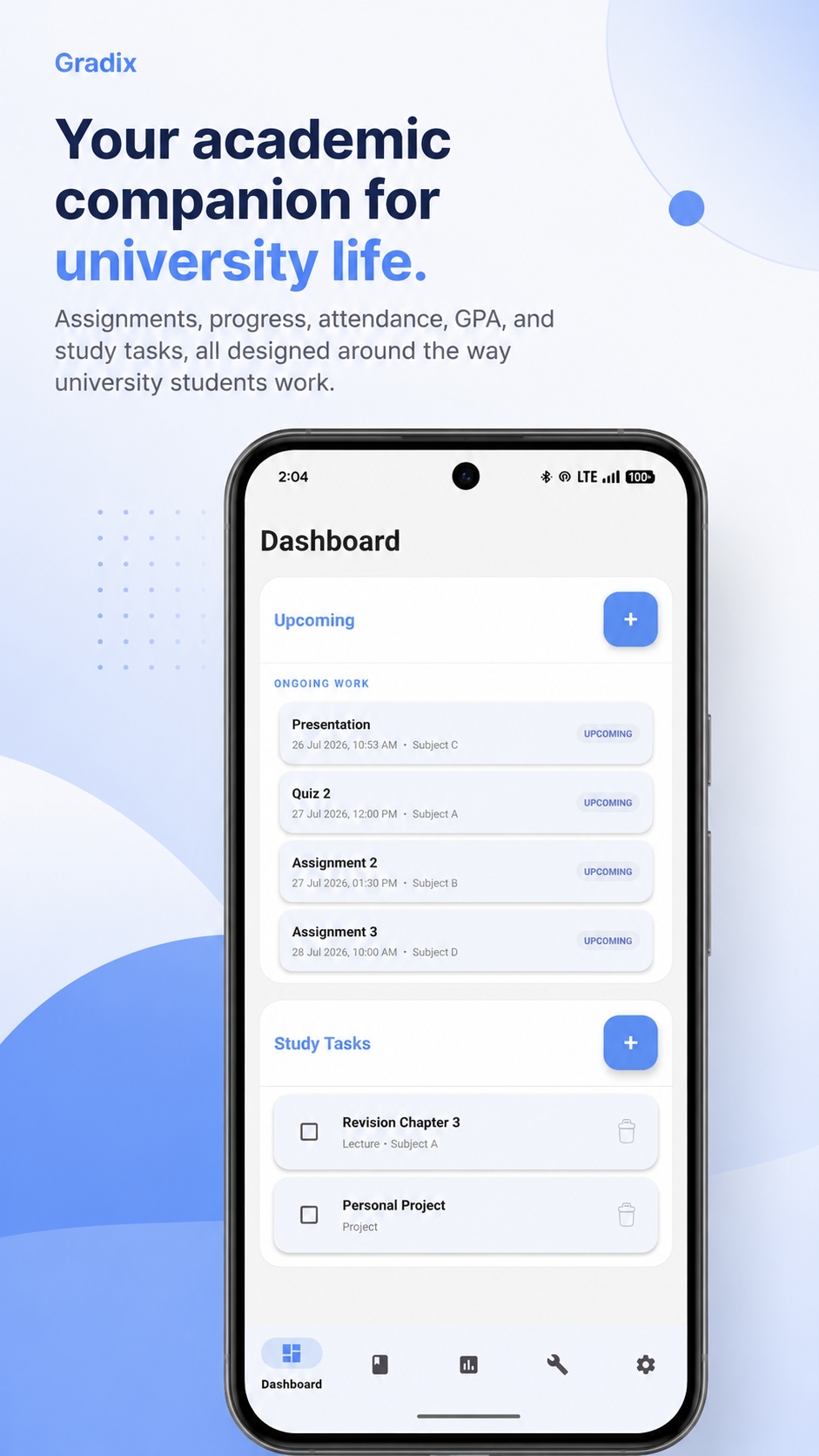
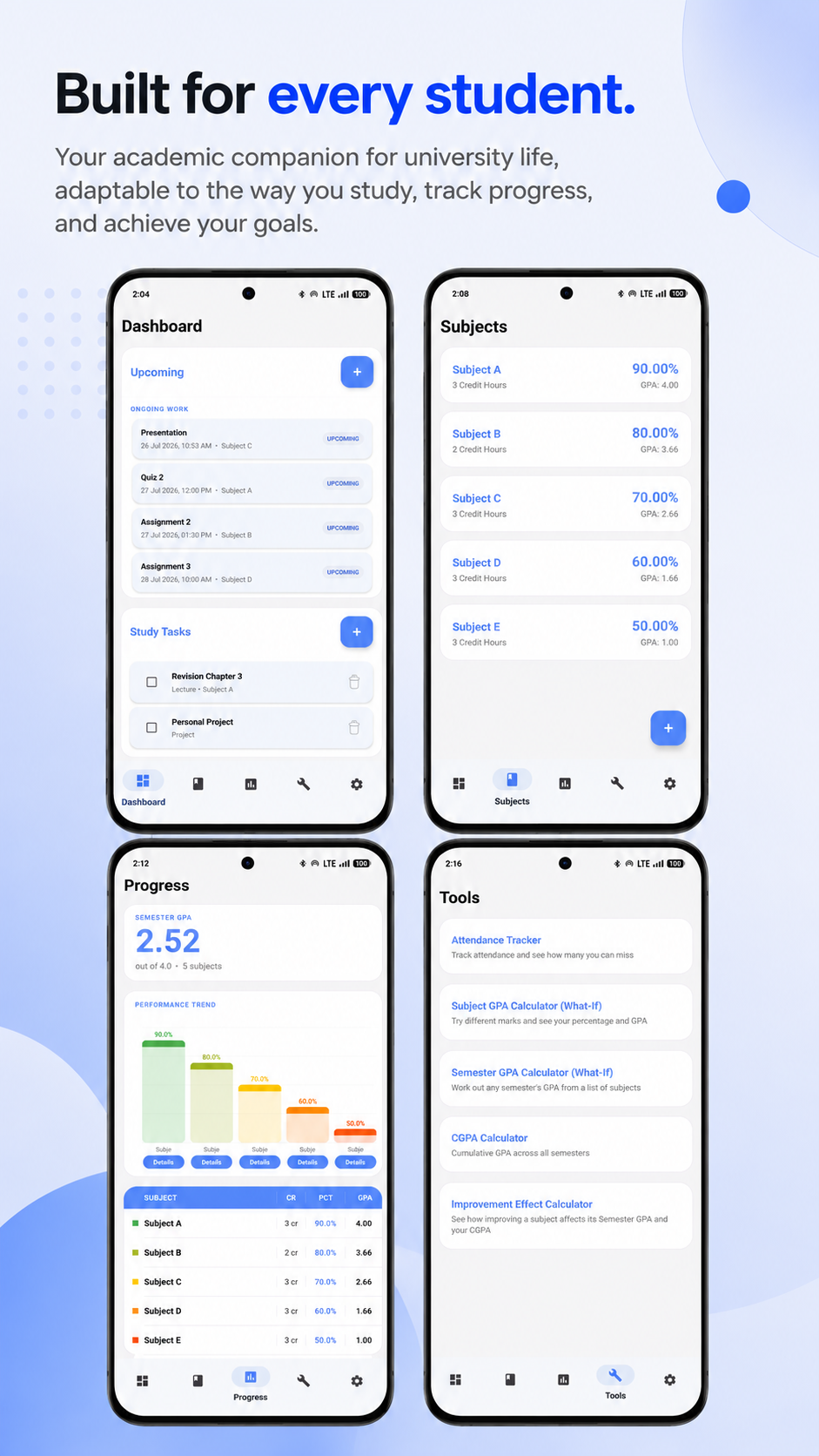
The Dashboard splits into two lists. Upcoming Work covers everything with a deadline coming up, assessments and quizzes sorted by date. Study Tasks are personal to-dos, revision, side projects, anything that doesn't tie to a grade at all. Anything already graded or marked missed drops out of Upcoming automatically and stays visible only inside its own subject from then on.
Progress: Know Where You Stand
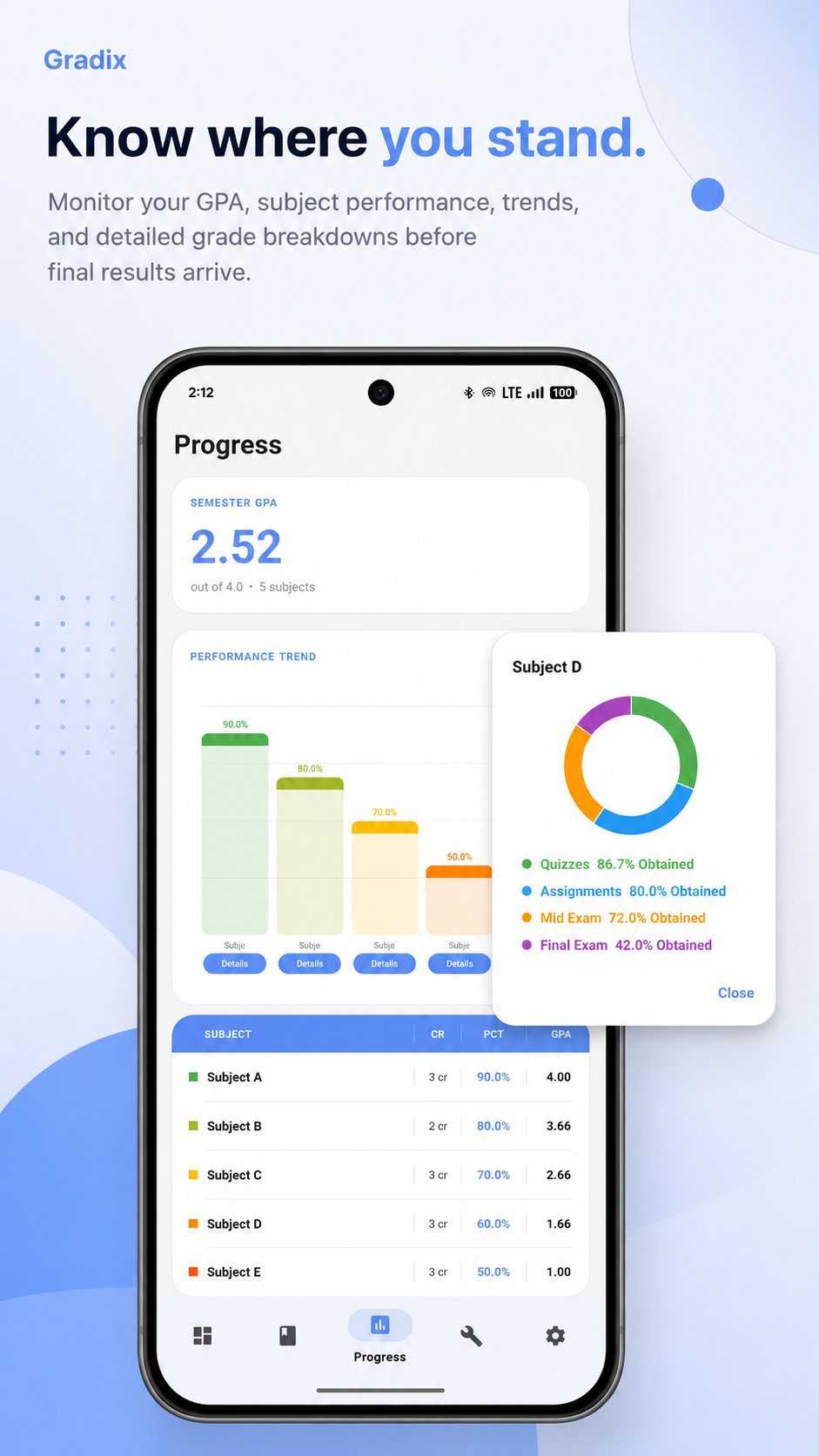
The Progress tab shows semester GPA up top, then a trend chart across every subject. Tap into any subject and it breaks down into a pie chart by that subject's own components instead of one fixed exams versus assignments split. A quiz worth 15 percent and a final worth 50 percent each get their own slice, showing exactly what percentage was obtained on that piece.
Built Around How Your University Actually Grades
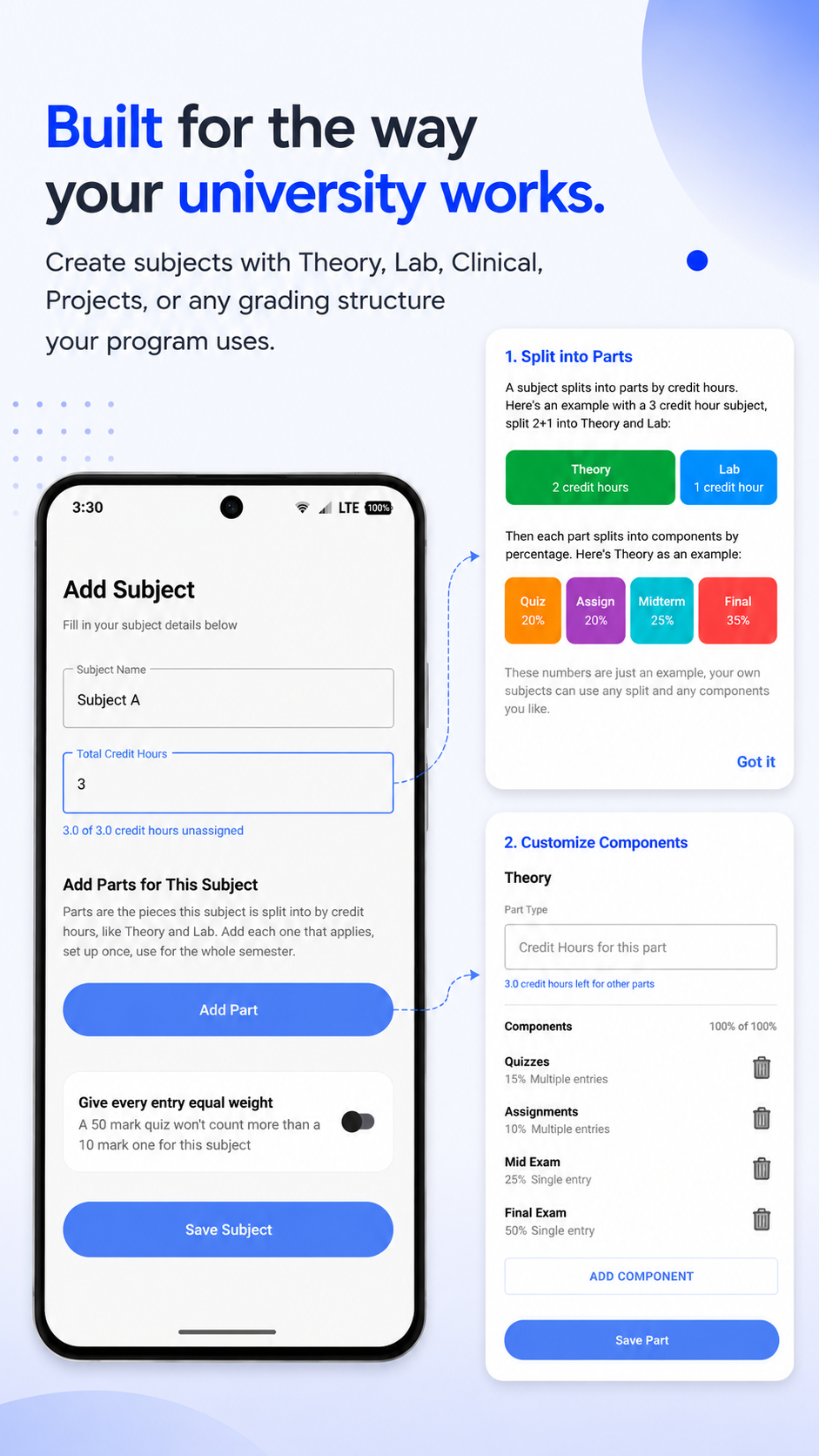
Gradix started out built only for COMSATS, Theory Mid, Theory Final, Lab Assignment, Lab Mid, Lab Final, and Quizzes, hardcoded straight into the app. A later version tore that out completely. Subjects now split into Parts by credit hours, Theory, Lab, Clinical, or whatever a program actually uses, and each Part splits further into Components with a name, a weightage, and whether it happens once or repeats. Set the usual structure once in Settings and reuse it for every subject added after.
Tools: Run The Numbers Before They're Real
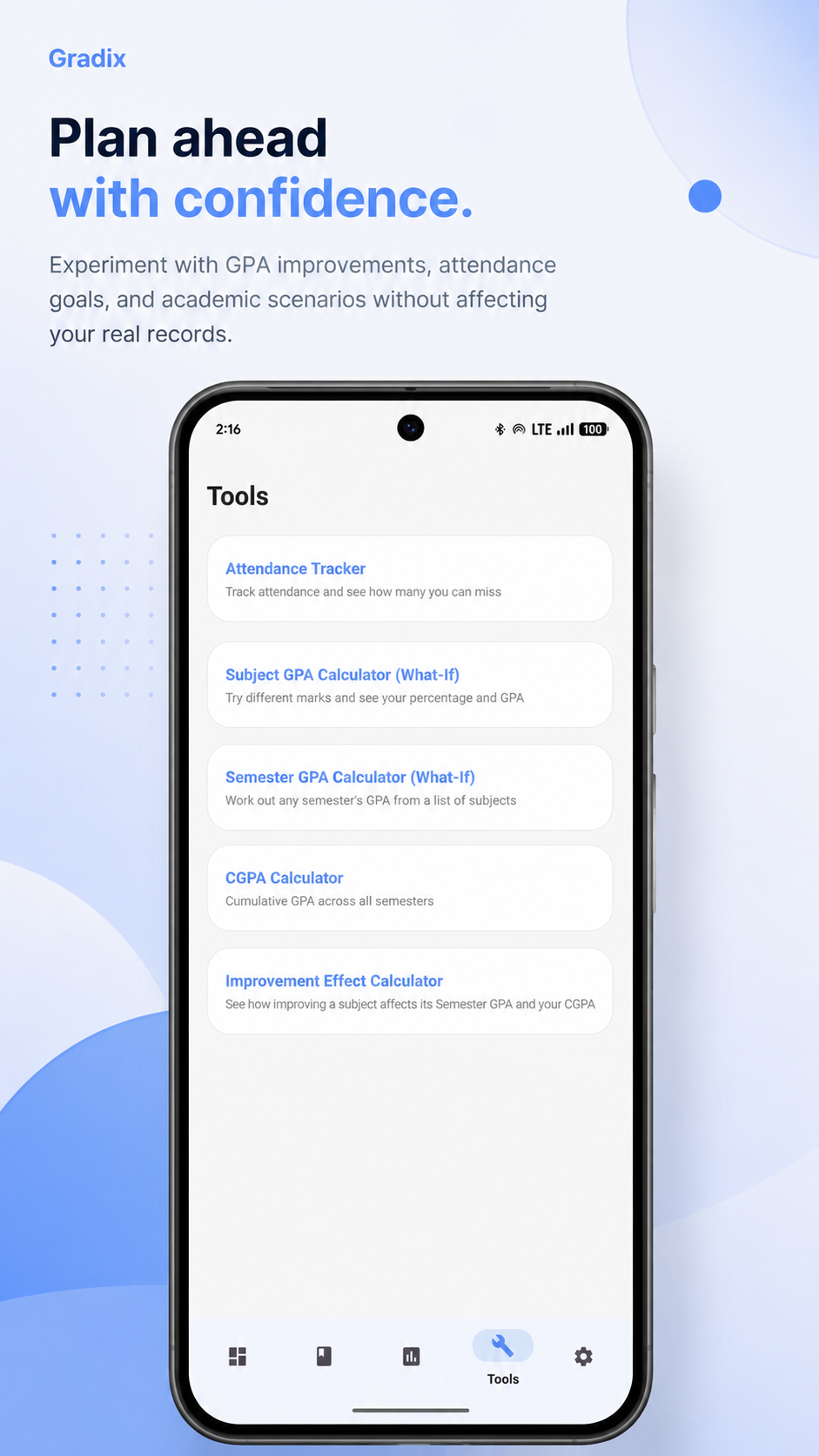
The Tools tab holds calculators that work independently from tracked subjects. The Attendance Tracker keeps a running count of classes attended and missed and shows how many more can be missed before dropping under a set threshold. The Subject, Semester, and CGPA calculators run what-if numbers by hand, or pull in a real subject or semester as a starting point. The Improvement Effect Calculator shows what improving one subject does to that semester's GPA and to overall CGPA, calculated independently.
Private By Design
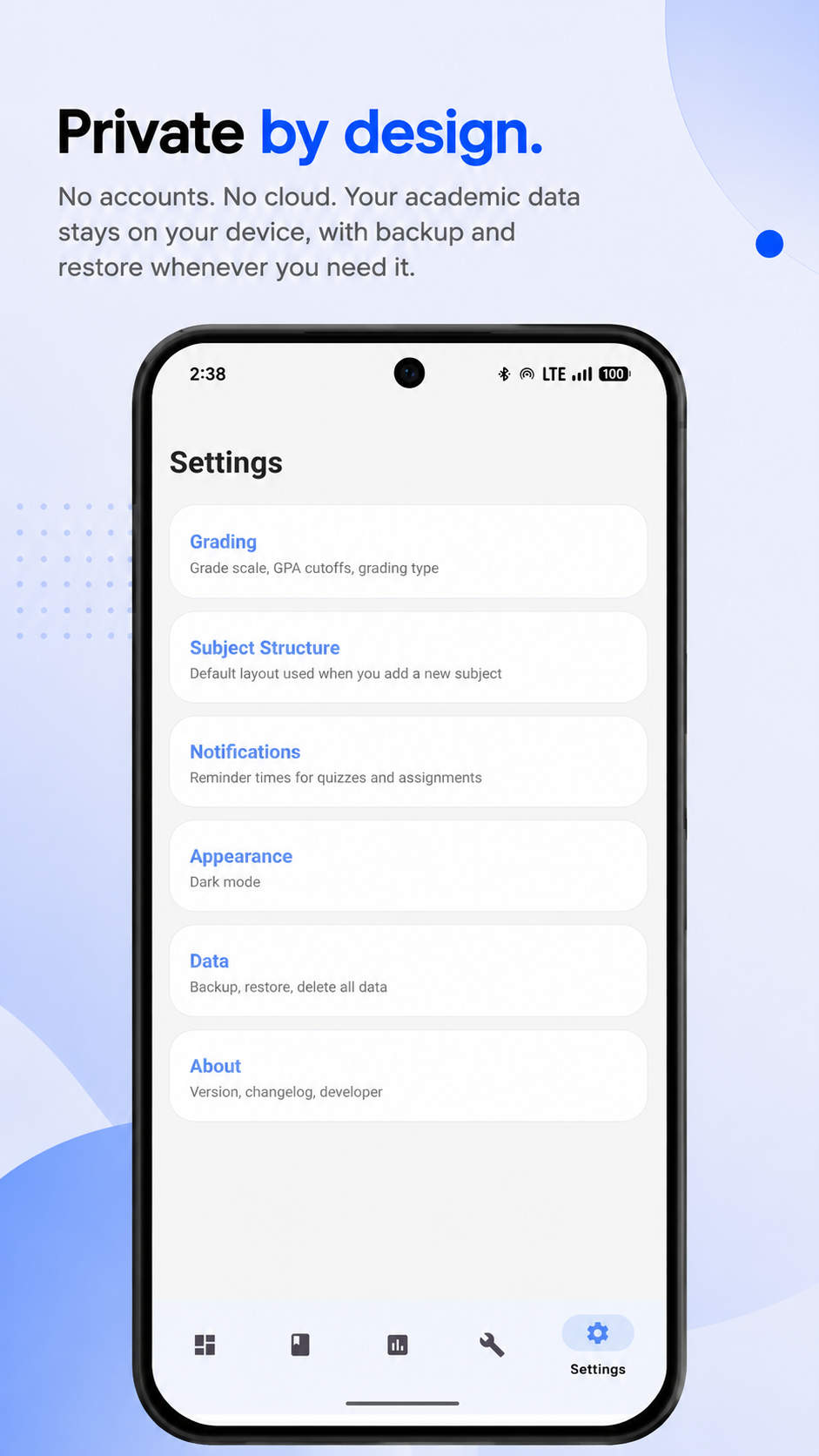
Gradix has no accounts and no cloud. Every subject, every mark, every study task stays on the device it was entered on. Settings holds Grading, Subject Structure, Notifications, Appearance, and Data, where backup and restore lives, exporting everything to a single JSON file and restoring from it, along with an option to delete everything and start over.
Make It Yours
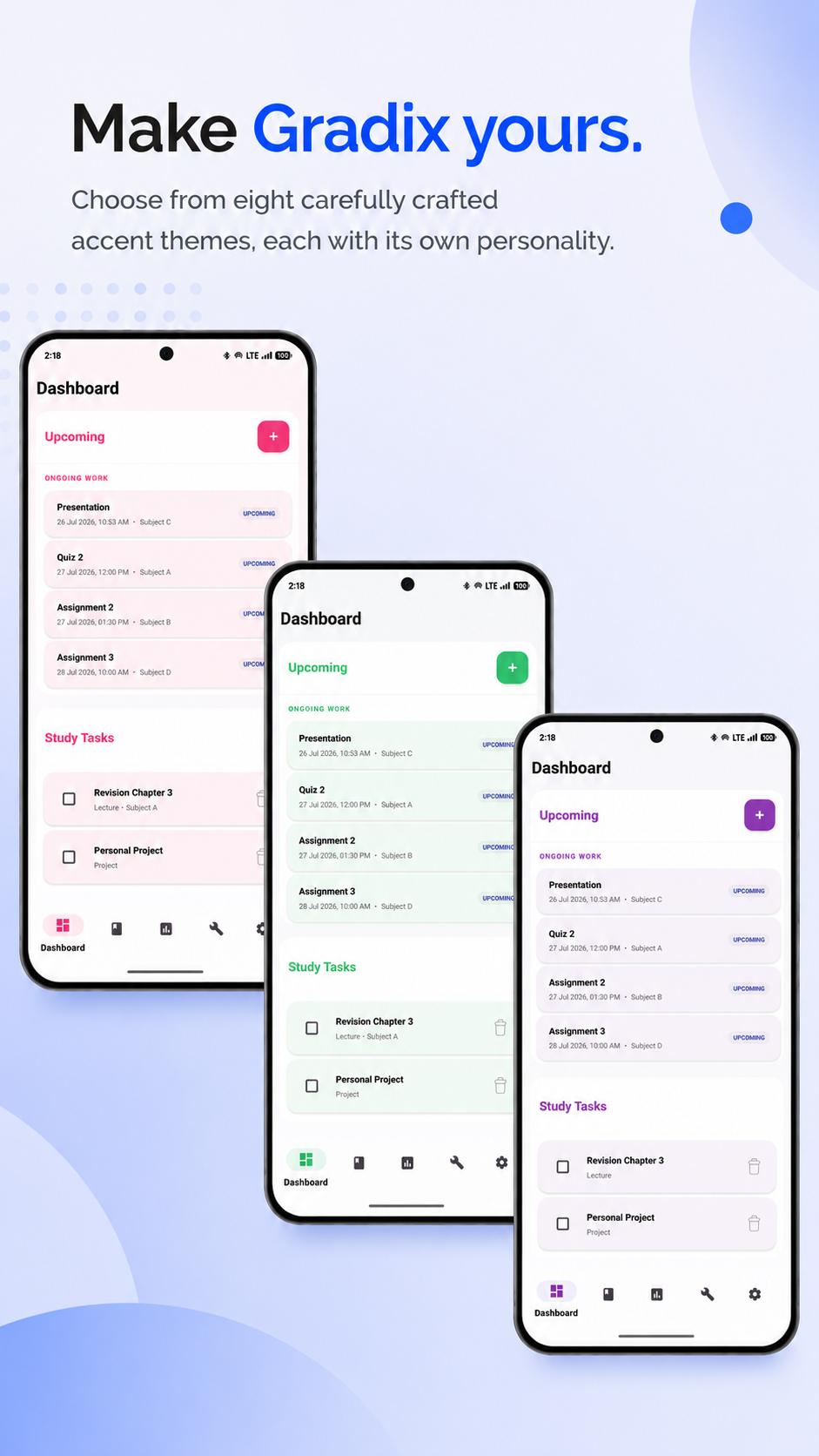
Settings > Appearance holds an accent color picker, eight named colors, each with its own personality, blue stays the default for anyone who doesn't want to think about it. The app also opens in light mode on a fresh install now, regardless of the phone's system theme, until dark mode gets chosen deliberately, along with one time onboarding guides for Dashboard, Subjects, and Progress.
Every Tab, One App
Dashboard, Subjects, Progress, and Tools together, the four screens that make up how Gradix actually gets used day to day, from checking what's due to seeing exactly where a semester stands.
Where It Stands Now
Gradix is available on the Google Play Store. The app is live and ready for download. For more details, you can review the Privacy Policy before installing.